
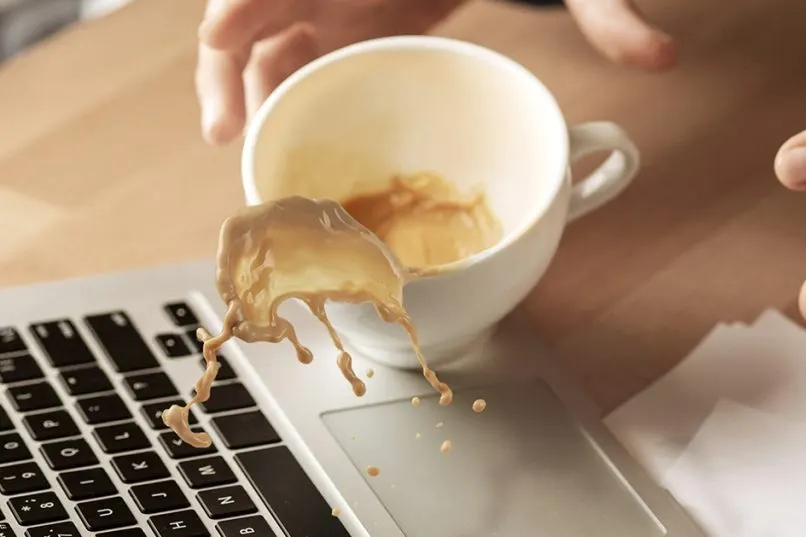
The first ten minutes after a spill decide how much of the Mac survives, and most of what decides that outcome has nothing to do with a repair shop. Coffee, tea and sugary drinks are worse than plain water, because the sugar and salts they carry conduct electricity and corrode metal faster than water alone, so treat any spill the same way and do these things in order, right now, before you search for anywhere to take it.
1. Power off now
Hold the power button and force the Mac off immediately, even if it means losing unsaved work. Do not wait for a clean shutdown and do not let it go to sleep on its own; sleep keeps parts of the board powered. Every second the Mac stays on with liquid inside is a second that current can travel through a wet component and short it, turning a repairable spill into a wrecked logic board. If the Mac has already shut itself off, leave it off.
2. Unplug and do not charge
Remove the charger straight away and do not plug it back in to check if the Mac still works. Charging pushes more current through the board at the exact moment liquid may be bridging two points that were never meant to touch, which is one of the fastest ways to turn a survivable spill into a dead board. The same goes for pressing the power button repeatedly to test it; each attempt is another chance for a short. Set the Mac aside, screen open, and leave it alone.
3. Tilt, don't shake
Tilt the MacBook so any visible liquid runs out and away from the keyboard, ideally propped screen-up in an upside-down V so gravity pulls liquid toward the hinge and out, rather than deeper toward the logic board. Do not shake it, flip it repeatedly, or turn it upside down and back over; that motion can carry liquid across the board to components it had not yet reached. Once the visible liquid has drained, gently pat the outside dry with a soft, lint-free cloth; do not press on the keys or the trackpad while doing it. A slow, steady tilt held for a minute does more good than any amount of vigorous shaking.
4. Skip the rice
Rice does not dry a MacBook. It was never designed to pull moisture out of sealed electronics, and a MacBook logic board is not a battery compartment you can open to expose the wet parts to grains sitting outside the case. A bag of rice can pull a little surface moisture out of the air around it over a day or two, but by then the liquid that matters has already reached the board, and rice does nothing to stop it working its way into connectors and under chips. Worse, rice dust and starch can work their way into the keyboard and vents while it sits there doing nothing useful. The same goes for a hair dryer or leaving the Mac in the sun to "bake" dry; heat can push liquid further into the machine and does not reach the board at all. The only thing rice reliably does is delay you from getting the Mac to a bench, while corrosion keeps spreading underneath the keyboard, unseen.
5. Why hours matter (corrosion)
Corrosion on a logic board does not wait for you to decide what to do. It starts within hours of a spill, as minerals and residue in the liquid begin reacting with the metal traces and pads on the board, and it keeps spreading for as long as the board sits wet and closed up. A Mac that would have been a straightforward clean and dry on day one can need a full board repair by day three, simply because the corrosion had two extra days to eat into components that were otherwise fine. This is the single biggest reason to bring it in immediately rather than waiting to see if it dries out on its own.
6. What ultrasonic cleaning does
Once the Mac is on the bench, part of our water damage repair process is opening the case and removing the logic board rather than cleaning it in place, because residue hides underneath chips and connectors that a wipe or a spray can never reach. The board then goes through an ultrasonic bath, which uses sound waves in a cleaning solution to lift residue and early corrosion out of every gap on the board, including places too small to reach by hand. After cleaning it is dried, inspected under magnification for any corroded or shorted components, and tested before it goes back into the case. Any component that has already corroded through is replaced as part of the board repair.
7. Your data
Hardware work on a spill does not touch your data, and we do not need your password for it; the board can be cleaned, tested and repaired without ever logging into macOS. If the storage was affected by the spill and the Mac will not boot afterwards, that is a separate job, and data recovery is handled once the board itself is stable. Tell us at drop-off if there is anything on the drive you specifically need back, so we prioritise that check as soon as the board tests clean.
When to bring it in
Bring the Mac in the same day, powered off, unplugged, and without opening it up yourself. Diagnosis and the ultrasonic clean come first, since nobody can give a fixed price on a liquid damage job before seeing what the board looks like once it is clean; from there, board repair starts from RM500, with a turnaround of one to three days for cleaning and repair together. If the spill also reached the keyboard or the battery, those are replaced alongside the board rather than left to fail later: keyboard replacement after liquid starts from RM350, and a battery that took liquid starts from RM280. The sooner it gets to the bench, the more of the original board survives.